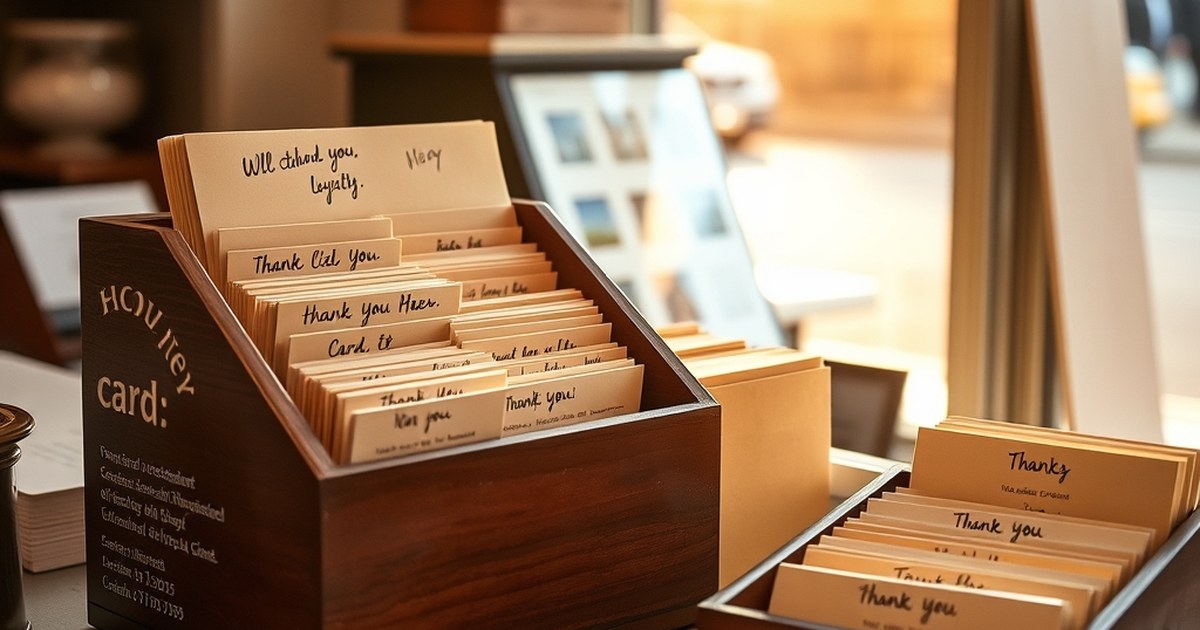

Picture this: a bakery owner spends her Saturday morning building a Facebook ad, chasing new footfall. Meanwhile, three regulars who came in every week for six months have quietly stopped showing up. She has no idea when they last visited, no way to nudge them back, and no dashboard that would have flagged the drift. That is the retention gap in miniature — and it is exactly why choosing the best CRM for tracking customer retention metrics for small business owners is not a “nice-to-have” upgrade. It is the tool that turns loyal buyers into repeat revenue instead of quiet churn.
Why retention metrics matter more than your acquisition dashboard
Every founder I have spoken to has a version of the bakery story. New customers feel visible — sign-ups, likes, ad clicks. Returning customers feel invisible until they stop returning. Yet the research is stubbornly consistent: a 5% lift in customer retention can grow profits by 25% to 95%, according to Bain & Company’s classic study with Fred Reichheld.
So what should you actually be tracking? A retention-first CRM should give you five things without needing a data analyst:
- Repeat purchase rate — the share of customers who bought more than once
- Churn rate — how many active customers went quiet in the last 30 or 90 days
- Customer lifetime value (CLV) — total revenue per customer over their relationship with you
- Net Promoter Score (NPS) — a lightweight loyalty signal
- Time between orders — the leading indicator that a regular is drifting
A spreadsheet can carry you to roughly 100 active customers. After that, sorting, filtering, and cross-referencing purchase history becomes a part-time job you did not want. This piece is not a listicle of every CRM on Product Hunt. It is a practical filter to help you pick the smallest tool that answers your biggest retention question.
What to look for in a CRM built for retention (not just sales)
Most CRMs were designed to close deals, not keep customers. That matters because a pipeline-first tool will bury the metrics you actually need. Here is what to demand:
- Native retention dashboards — repeat rate, churn, and cohort views on the home screen
- Automation triggers for post-purchase follow-ups, win-back emails, and loyalty nudges
- Segmentation by behaviour (last purchase date, frequency, spend), not just demographics
- Integrations with your email tool, e-commerce platform, and accounting software
- Pricing that fits a small business — flat fee or per-user, no enterprise minimums
Quick tip — if you cannot see churn on the home dashboard, it is not a retention CRM. It is a sales CRM wearing a costume.
The best CRM for tracking customer retention metrics for small business owners — five real picks
There is no single winner. There is a shortlist that keeps appearing when small business owners talk honestly about what they use. Here is how the front-runners compare:
| CRM | Best for | Key retention features | Starting price |
|---|---|---|---|
| HubSpot CRM | Growing teams | Free reporting, contact scoring, lifecycle stages | Free tier; paid from ~£15/mo |
| Zoho CRM Plus | Multi-channel businesses | Customer journey analytics, NPS module | ~£45/user/mo |
| Pipedrive + Insights | Sales-led shops | Cohort views, activity reports | ~£12/user/mo |
| Keap | Solopreneurs | Automation flows, tagging, lifecycle triggers | ~£45/mo |
| Brevo (formerly Sendinblue) | Email-first retention | Segmentation, automation, transactional email | Free tier; paid from ~£7/mo |
HubSpot’s free tier is genuinely usable. Zoho packs more analytics per pound than most rivals. Pipedrive is sales-first but its Insights add-on will do the job. Keap wins for solo founders who want automation without hiring a services engineer. Brevo suits any business where retention lives inside email.
Which CRM is best if I have fewer than 500 customers?
Stick with a free tier or a sub-£20/month tool. HubSpot Free covers contact management, deal tracking, and basic reporting without a credit card. Brevo’s free plan handles up to 300 emails a day with proper segmentation. Both let you set up retention basics — tagging, follow-ups, repeat-purchase views — without paying for features you will not touch. Upgrade when the tool, not the salesperson, tells you to.
How to set your CRM up so retention data actually gets used
The tool is 20% of the outcome. The setup is the other 80%. Follow this order:
- Import clean customer data. Deduplicate, standardise fields, and delete records with no email or phone.
- Tag customers by lifecycle stage. New, active, at-risk, dormant, churned. Five buckets is enough.
- Build one dashboard with four KPIs max. Repeat rate, churn, CLV, and time-between-orders. That is it.
- Set two automations. A post-purchase thank-you sequence, and an at-risk win-back triggered by inactivity.
- Review weekly. Ten minutes on a Monday morning beats a monthly review nobody reads.
Ignore the temptation to track 20 metrics from day one. Pick four, act on them for a quarter, then add more if you genuinely have the bandwidth. For a broader playbook, our guide on how to improve customer retention for small business walks through the tactics your CRM should support.
How long before I see results from tracking retention?
Give it three months. The first month is data hygiene and dashboard-building. The second is when your first at-risk automation starts pulling regulars back. By month three, you will have enough cohort data to see whether repeat rate is genuinely climbing or you are just measuring the same customers differently. Anyone promising results in two weeks is selling a CRM, not a retention strategy.
How Mindshelves thinks about CRM choices for small businesses
Mindshelves is not a software vendor and has no affiliate horse in this race. The advice here is written from lived small-business experience — Bijal Shah’s approach is deliberately unfashionable: pick the smallest tool that answers your biggest retention question, not the most feature-rich one on the comparison chart.
A shop with 200 customers does not need Salesforce. It needs a spreadsheet plus one automation. A shop with 2,000 customers might genuinely benefit from HubSpot Starter. And a service business with 40 clients and long relationships might get more from good notes and a shared calendar than from any CRM at all. The benefits of customer retention for small businesses rarely come from software alone — they come from the discipline of actually looking at the numbers.
Readers regularly share what has worked for them in the Mindshelves community, and guest contributions are welcome. Real stories beat vendor marketing every time.
Do I need a CRM or just better customer notes?
If you have fewer than 50 customers and remember most of them by name, better notes will beat any CRM. Use a shared document, a tagging system, and a weekly ten-minute review. Once you cross roughly 100 active customers, the mental load exceeds what memory and notes can handle, and a lightweight CRM starts to pay back its cost within a quarter.
Common mistakes small businesses make with retention CRMs
- Buying a CRM built for enterprise sales teams and trying to shrink it down to a solo operation
- Tracking vanity metrics like total contacts, instead of active repeat rate
- Ignoring the reports after setup, so the tool becomes an expensive address book
- Treating CRM as an IT project rather than a customer-experience decision
- Never connecting CRM data with the email tool, so retention emails go stale and generic
The pattern is the same in every case: the CRM did nothing wrong. The owner stopped opening it. If you are weighing whether to hire someone to make sense of the numbers, our comparison of a customer retention coach vs business coach will help you decide before you spend anything.
Where to go from here
Here is the one big idea worth holding onto: the best CRM for tracking customer retention metrics for small business owners is the one whose dashboard you will actually open on a Monday morning. Not the most powerful. Not the most integrated. The one you will use.
Start small. Test one tool for a quarter. Measure repeat rate before and after. Switch only if the data — not the sales rep — tells you to. If you would like to share what has worked for your business, suggest a topic, or write a guest piece for other small business owners, Contact us today. The best retention advice usually comes from someone who has already made the mistake you are about to.